Features
AI Helpers
Four tools for refining AI-generated content — available on any generated section of your report.
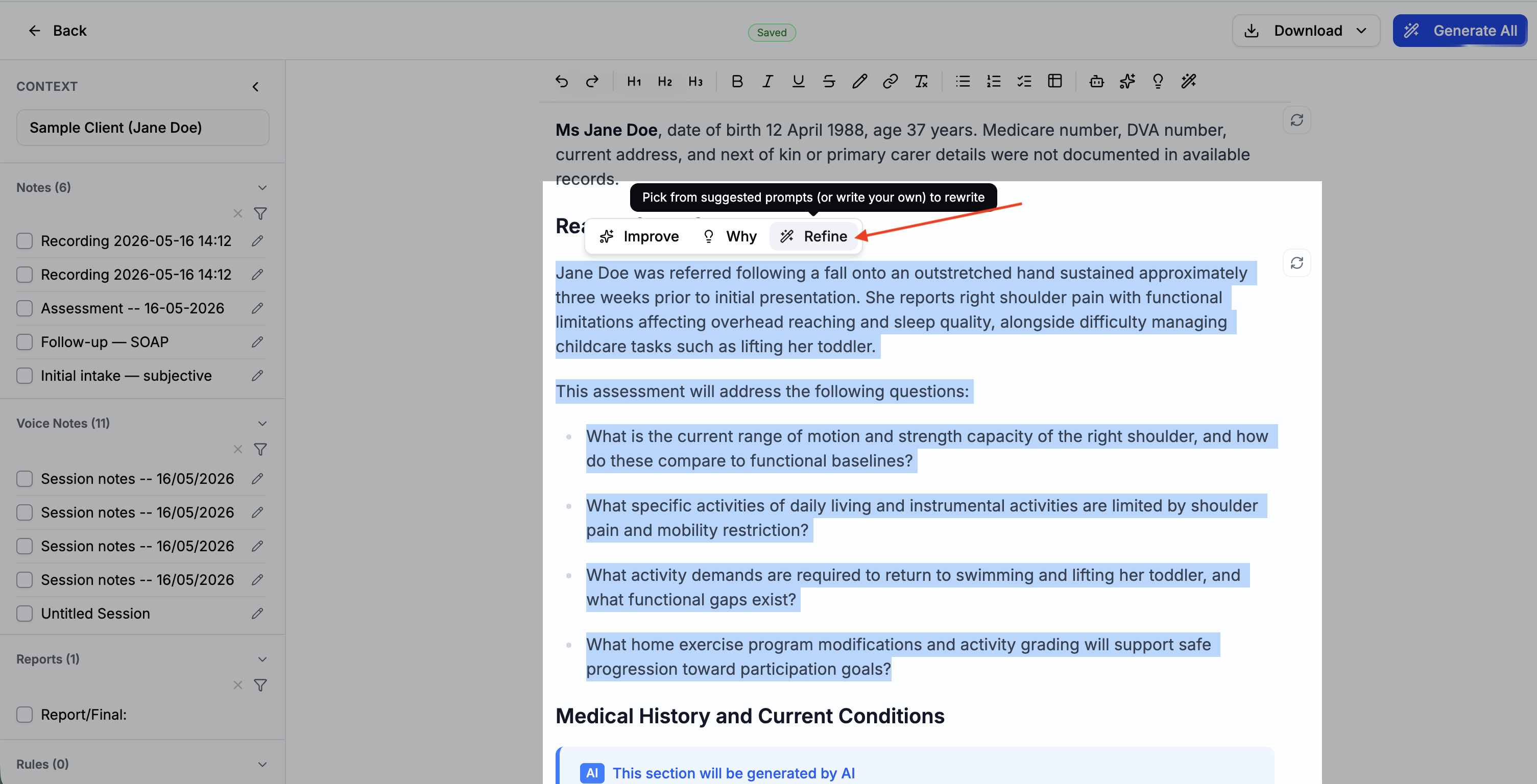
After generating a report, each AI block has a set of helper actions available. These let you refine, rewrite, or understand the content without leaving the editor.
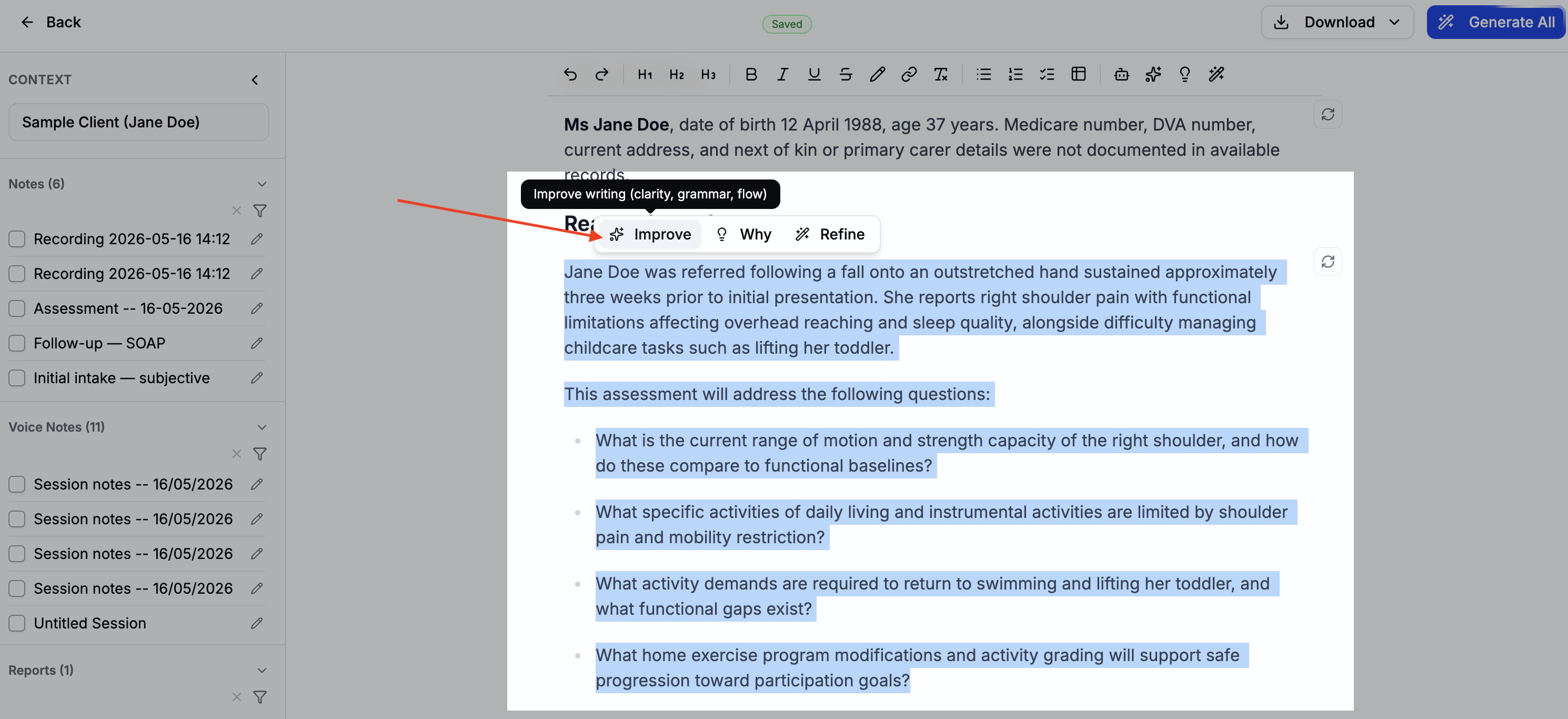
Improve Writing
Rewrites the existing content for clarity, flow, and professionalism — without changing the clinical meaning. Use this when the content is accurate but reads awkwardly or feels rough.
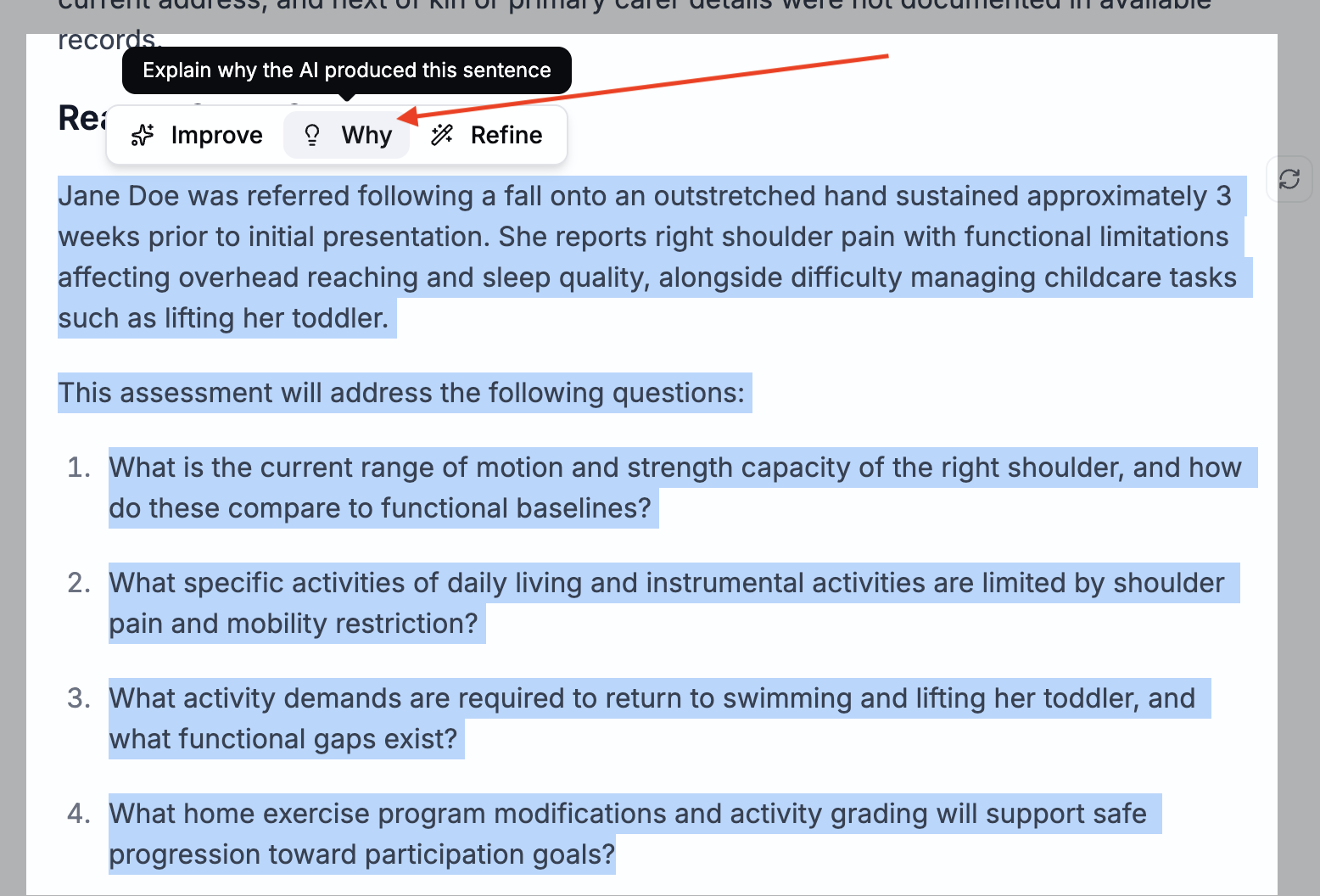
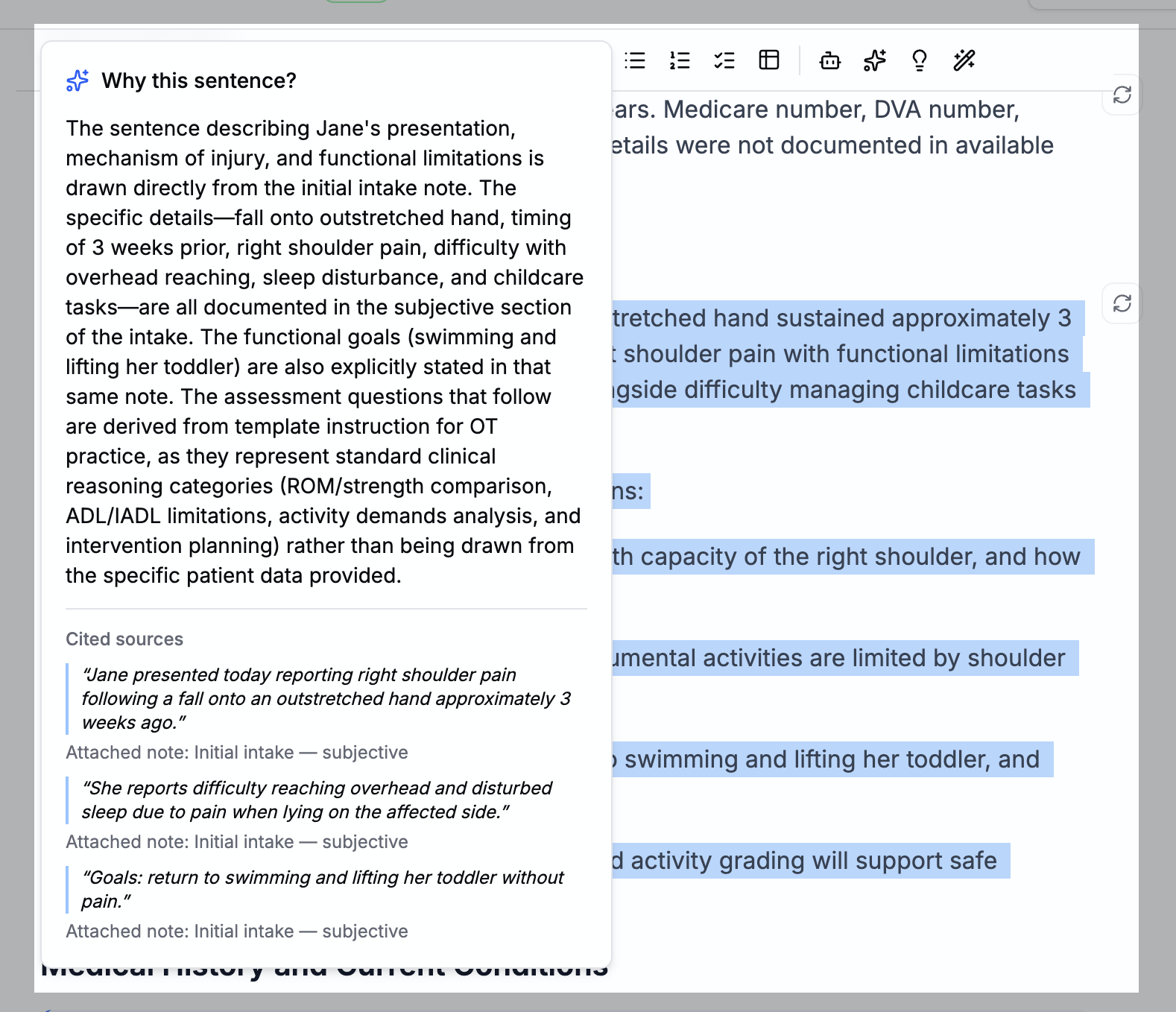
Why
Explains the reasoning behind what the AI wrote — which parts of your notes, documents, or prompts influenced the output. Use this to understand why a section came out the way it did, or to verify the AI drew from the right sources.
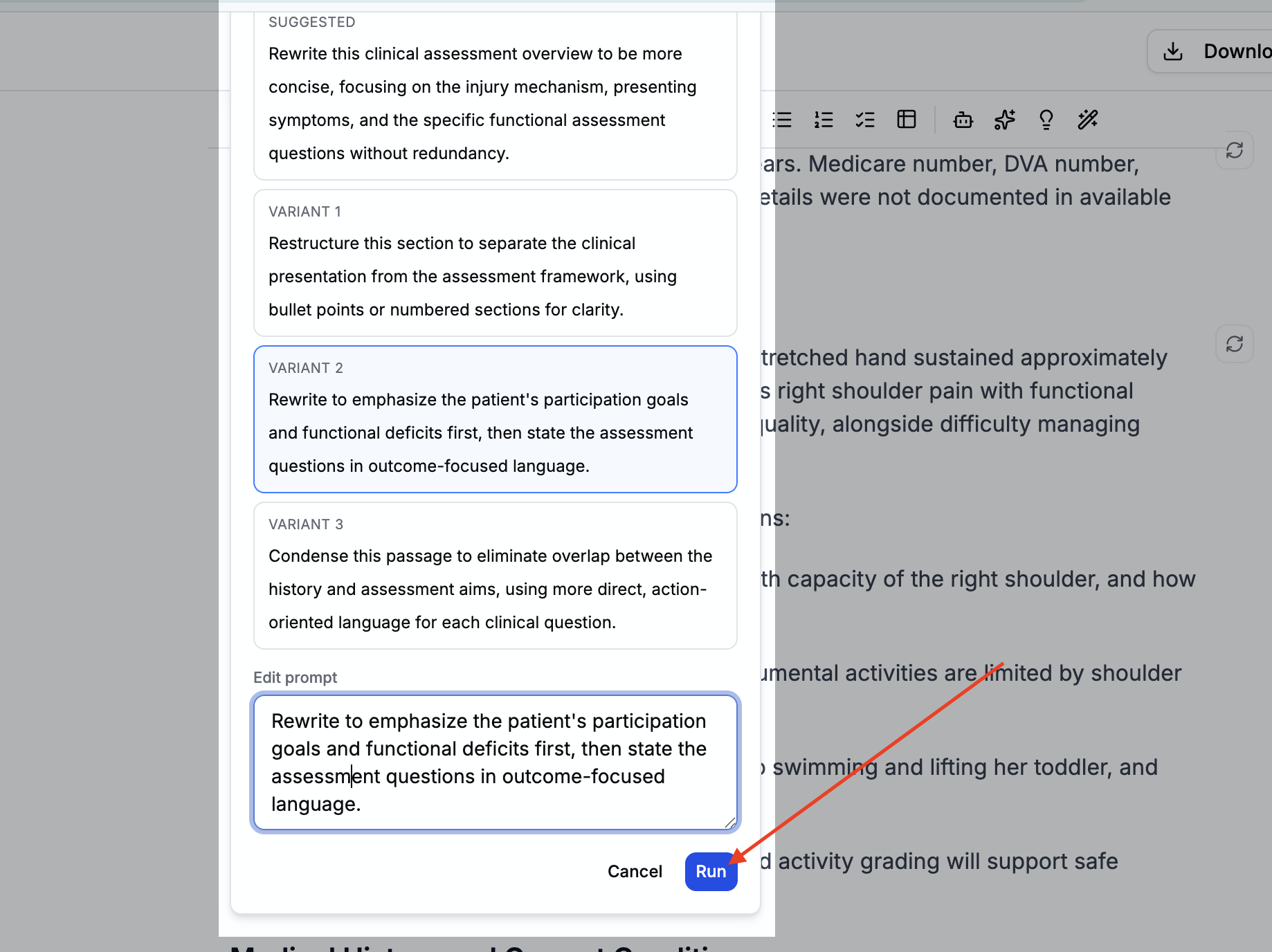
Refine
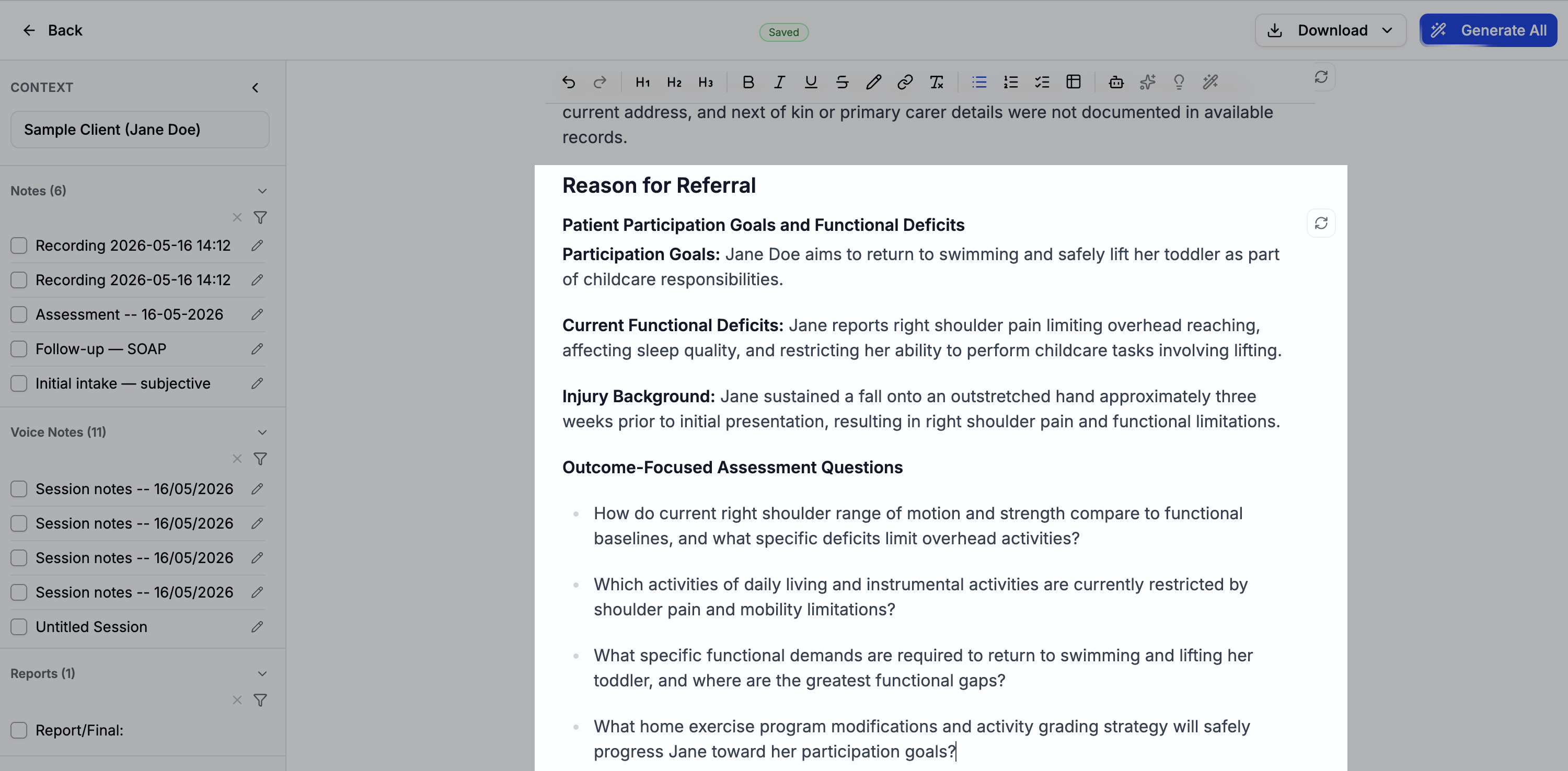
Lets you give the AI a specific instruction to adjust the current output — without regenerating from scratch. Type what you want changed (e.g. "shorten this to two sentences" or "focus more on goal progress") and the AI updates the section accordingly.
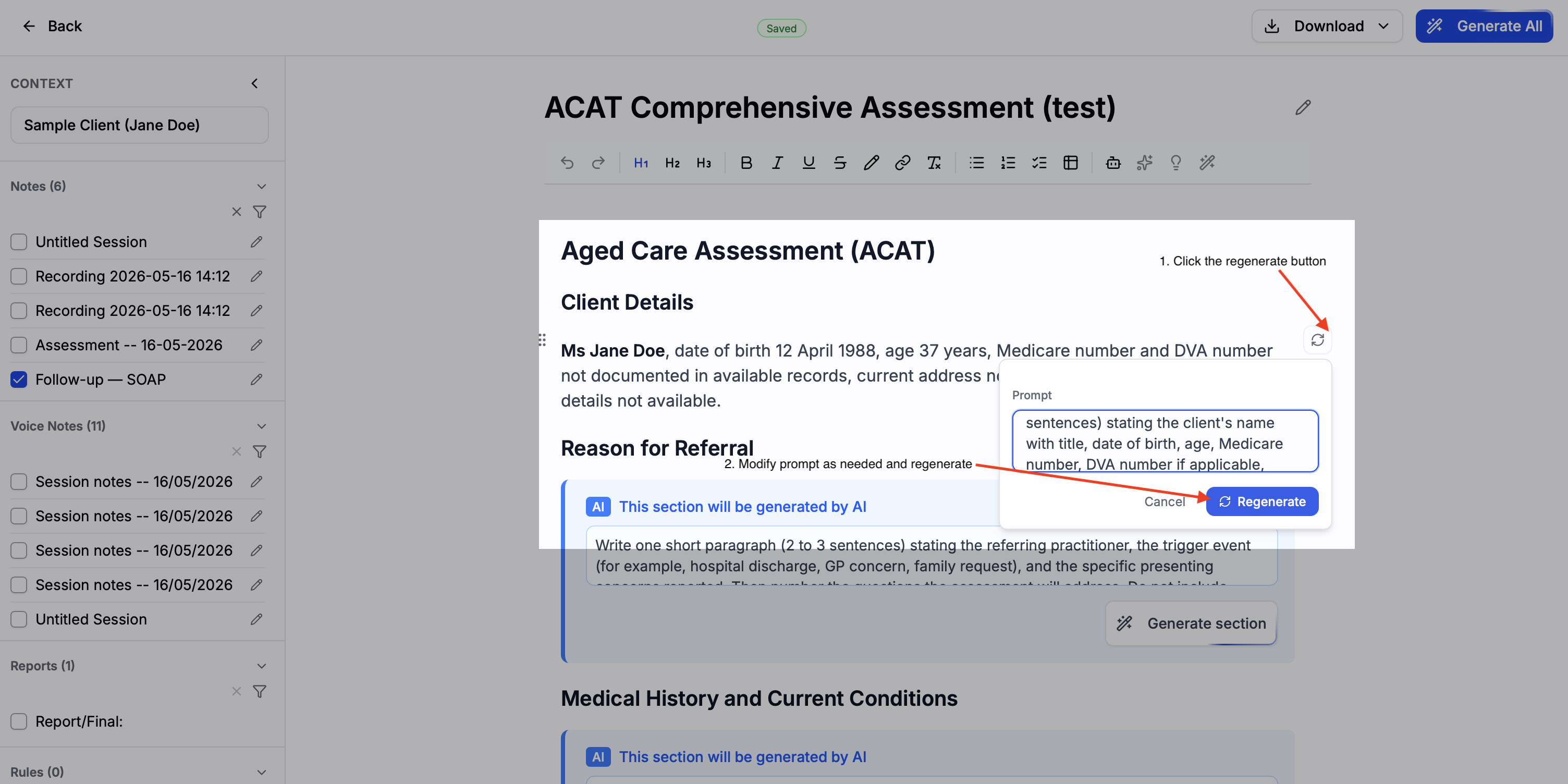
Regenerate
Re-runs the AI for that block using the same prompt and context. Use this when the output missed the mark entirely and you want a fresh attempt. You can optionally edit the prompt before regenerating to steer the AI in a different direction.